4G Industrial Router Commissioning Guide: How to Go From Unboxing to a Monitored, Secure Site in a Single Visit
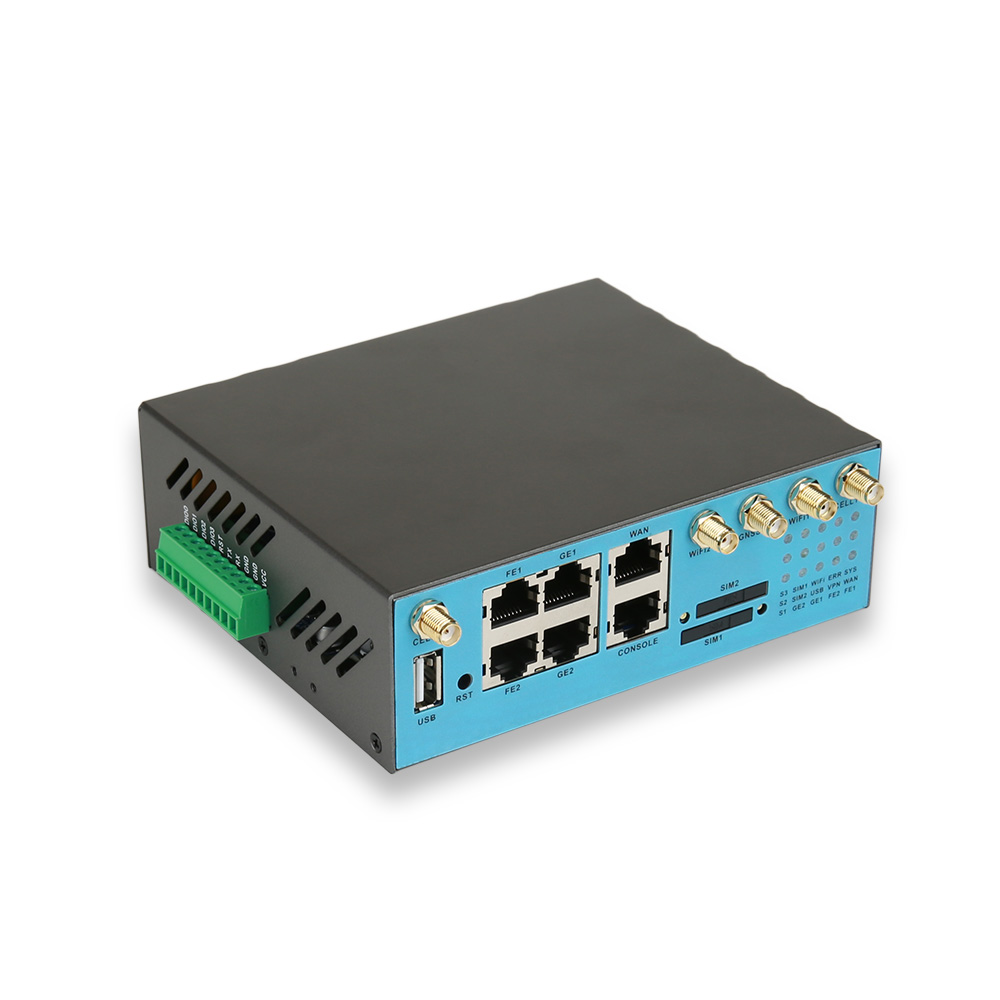
The most expensive part of a 4G industrial router is often not the router but the second trip to the site. A missing antenna, an APN typed incorrectly, a VPN peer that was never created at the head end, a SIM that was not activated: each of these turns a one-hour installation into a return visit days later. At remote sites, that second trip can cost more than the hardware.
This guide sets out a commissioning method designed to finish every 4G industrial router installation in a single visit. It divides the work into what happens in the office before the visit, ten steps on site, and the checks that close the job afterwards, with E-Lins products as examples.
Before the Visit: Prepare in the Office
Build the configuration from a template
Create one configuration template per site type, then fill in the site-specific values: LAN address range, VPN identity, device addresses. Load the configuration onto the router before it leaves the office, or agree default settings with the manufacturer for larger projects. E-Lins offers OEM and ODM customisation alongside standardised delivery, which allows defaults to be agreed in advance.
Prepare the network side
Activate the SIM cards and confirm the APN with the operator. Create the VPN peer at the head end and test it with a spare router. Register the router's serial number and IMEI in the management platform so it appears as soon as it connects.
Pack the complete kit
Router, antennas with the right cable lengths, power connector or supply, the correct mounting kit, Ethernet and serial cables, a spare activated SIM, and a laptop with the configuration file. E-Lins supplies desktop, wall-mount, and DIN-rail mounting kits.
On Site: Ten Steps
1. Mount the router on the DIN rail or wall, away from heat sources such as power supplies, with space for cables and airflow.
2. Check the power supply. Measure the voltage at the terminals before connecting. Many E-Lins routers accept 5 to 40V DC, with a 5 to 60V DC option, but confirm the range of your variant.
3. Insert the SIM cards with the power off, in the correct slots for primary and backup.
4. Position the antennas. Mount external antennas outside metal cabinets, as high as practical, and keep cellular antennas separated from each other.
5. Power up and watch the status indicators until the router registers on the network.
6. Check the signal using the router's status page and record the values. Reposition the antennas if the readings are poor.
7. Connect the field devices and confirm that each one responds locally: PLC, meter, camera, or controller.
8. Confirm the VPN and remote reachability. Ask the control centre or platform team to reach each device through the tunnel while you are still on site.
9. Test recovery. Power-cycle the router and confirm it reconnects on its own. On dual SIM routers, remove the primary SIM and confirm failover.
10. Record and photograph the installation: mounting, antenna positions, cabling, signal readings, serial numbers, and firmware version.
Reading the Signal Values
The following ranges are commonly used as guidelines for LTE signal at an installation point. Actual performance also depends on network load and the operator's configuration.
|
Measurement |
Good |
Fair |
Poor |
|
RSRP (signal power) |
Better than -90 dBm |
-90 to -105 dBm |
Below -105 dBm |
|
RSRQ (signal quality) |
Better than -10 dB |
-10 to -15 dB |
Below -15 dB |
|
SINR (signal-to-noise) |
Above 13 dB |
0 to 13 dB |
Below 0 dB |
If readings are poor, try a different antenna position, a higher mounting point, or the other operator's SIM before leaving. For pole sites, an outdoor unit such as the E-Lins H820QO, with an IP68 rating and built-in 14dBi high-gain antennas, can be mounted directly at the best signal point.
After the Visit: Close the Job
Confirm in the platform that the router reports normally and that its configuration matches the template version.
Store the baseline signal readings and photographs with the site record, so later faults can be compared against the day of installation.
Watch the first week. Review reconnections, failovers, and data usage after a few days to catch problems early.
E-Lins routers support TR-069, SNMP, and SSH, and the E-Lins NMS cloud platform supports status monitoring, parameter management, remote firmware upgrades, and statistics, so the remaining checks can be done from the office.
The Commissioning Record
A short, consistent record for every site saves hours later. It should include the site name and address, router model and serial number, IMEI, SIM numbers and operators, firmware and template versions, LAN address range, devices connected and their addresses, signal readings with antenna positions, results of the VPN and recovery tests, photographs of the installation, and the installer's name and date. Store it in the same place as the router's entry in the management platform, so anyone diagnosing a fault later can see exactly how the site was left.
Common Commissioning Mistakes
Testing the VPN after leaving the site. If the tunnel does not come up, the visit has failed.
Leaving antennas inside a metal cabinet. The router may connect, but with a poor and unstable signal.
Skipping the power-cycle test. A router that does not recover by itself will need another visit after the first power cut.
Not recording firmware versions. Later troubleshooting and update planning depend on knowing what is installed.
Choosing Routers That Commission Easily
H685 mini embedded series: 100 × 60 × 21 mm, combining Ethernet, RS232/RS485 serial and DI/DO for compact cabinets, kiosks and robots.
H900 Gigabit industrial 4G router: five Gigabit Ethernet ports, triple-link backup across cellular, wired and Wi-Fi, and ISO 7637-2 compliance with ignition sensing for vehicles.
H820QO outdoor router: IP68 for direct pole mounting with built-in 14dBi antennas.
M300 and M400 industrial 4G modems: RS232/RS485 to 4G transparent transmission for legacy PLCs and meters.
E-Lins describes a 1- to 3-day standard deployment cycle and supports installers with configuration manuals, video tutorials, one-on-one remote guidance, and 7x24 remote technical support, with an average response time of 10 minutes during business hours.
The Manufacturer
Shenzhen E-Lins Technology Co., Ltd. has built industrial cellular equipment since its industrial roots in 1999 and deployed full 4G LTE product lines from 2013. Its industrial-grade components are rated from -35°C to +75°C with 15KV ESD protection and 1.5KV electromagnetic isolation. Prepare in the office, follow the ten steps on site, close the job from the platform, and every 4G industrial router installation can be finished in one visit.
https://e-lins.com/
Shenzhen E-Lins Technology Co., Ltd.
About Author