
Why is my food checkweigher rejecting good products?
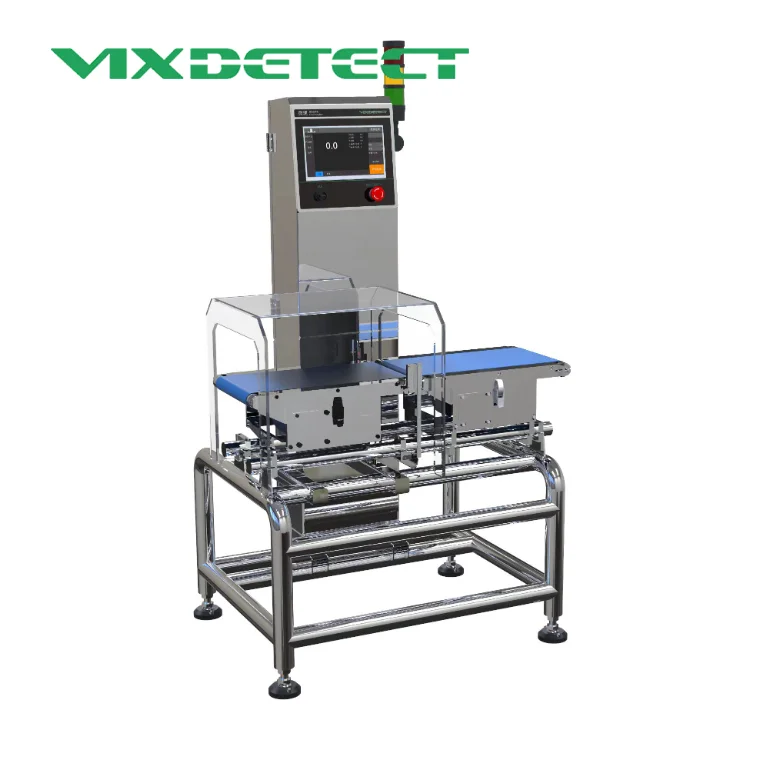
A food checkweigher is designed to identify products that fall outside a defined weight tolerance and automatically remove them from the production line. However, when a food checkweigher starts rejecting products that appear to meet the target weight, the problem can quickly affect production efficiency, product waste, and confidence in the weighing system.
False rejects do not always mean that the checkweigher itself is defective. In many cases, the cause can be related to product positioning, conveyor conditions, calibration, weighing parameters, vibration, product spacing, or the way reject thresholds are configured. High-speed production lines can make these issues even more noticeable because small variations have less time to stabilize before the system makes a decision.
Understanding why false rejects occur is therefore important for maintaining reliable food checkweighing performance. This guide examines the most common causes and explains how manufacturers can troubleshoot them systematically.
What Does a False Reject Mean on a Food Checkweigher?
A false reject occurs when the food checkweigher classifies a product as underweight or overweight even though the product appears to be within the acceptable weight range.
For example, suppose a packaged food product has a target weight of 500 g and the acceptable range is configured between 495 g and 505 g. If a product that actually weighs approximately 500 g is repeatedly rejected, the problem may not be the product itself.
The displayed weight could be affected by:
-
Incorrect calibration
-
Product movement during weighing
-
Conveyor vibration
-
Incorrect product spacing
-
Unstable transfer between conveyors
-
Incorrect tolerance settings
-
Load cell problems
-
Environmental interference
-
Incorrect product recipe settings
-
Poor reject timing
A food checkweighing system does not simply measure the static weight of a product sitting on a scale. It measures a moving product under dynamic production conditions. This makes mechanical stability and system configuration especially important.
Common Reasons a Food Checkweigher Rejects Good Products
There are several potential causes of false rejects. Troubleshooting is more effective when each part of the weighing process is examined individually.
Incorrect Calibration
Calibration is one of the first areas to check when a food checkweigher begins rejecting acceptable products.
A checkweigher relies on its load cell and weighing electronics to convert a physical load into a weight value. If the system is not correctly calibrated, the displayed weight may differ from the actual product weight.
Calibration problems can occur after:
-
Equipment installation
-
Relocation of the machine
-
Major cleaning
-
Mechanical adjustments
-
Load cell replacement
-
Significant temperature changes
-
Long periods of operation without verification
A calibration issue may cause products to appear consistently heavier or lighter than they really are.
Manufacturers should follow the equipment manufacturer's calibration procedure rather than simply changing the target weight to compensate for inaccurate measurements.
Product Movement During Weighing
A dynamic checkweigher needs to determine the weight of a moving product within a limited weighing window. If the product moves, rotates, bounces, or slides while passing across the weighing conveyor, the measured value may become unstable.
This is particularly common with:
-
Flexible pouches
-
Lightweight packages
-
Tall packages
-
Round containers
-
Products with uneven weight distribution
-
Packages containing liquid
-
Products with loose internal contents
For example, a pouch containing liquid may continue moving internally after it enters the weighing section. Although the total mass has not changed, the changing distribution of the contents can make the measurement less stable.
Product stability is therefore an important part of food checkweigher accuracy.
Conveyor Vibration
Vibration is another common cause of unstable measurements.
A food checkweigher is designed to detect relatively small differences in product weight. External vibration can introduce movement into the weighing mechanism and cause the system to interpret mechanical movement as a change in weight.
Potential vibration sources include:
-
Nearby motors
-
Pumps
-
Packaging machinery
-
Conveyors
-
Fans
-
Compressors
-
Poorly secured machine frames
-
Uneven floors
The problem may become more obvious when several machines operate simultaneously.
If the checkweigher produces different readings for the same product under otherwise identical conditions, vibration should be investigated before changing the weighing tolerance.
Product Spacing Can Affect the Result
Correct spacing between products is essential for a high-speed food checkweigher.
If two products are too close together, the weighing system may have difficulty determining where one product ends and the next begins. In extreme cases, part of the weight of one product can influence the measurement of another.
This can lead to:
-
Incorrect weight readings
-
Inconsistent results
-
Increased false rejects
-
Incorrect reject timing
-
Product tracking errors
Product spacing is especially important when a checkweigher is installed directly after a filling or packaging machine.
The upstream conveyor should provide enough separation for each package to enter the weighing zone individually and remain within the intended weighing window.
How to Improve Product Spacing
Depending on the production line, spacing can be improved through:
-
Conveyor speed adjustment
-
Timing belts
-
Metering conveyors
-
Separation belts
-
Product guides
-
Infeed conveyor optimization
The correct approach depends on product dimensions and production speed. Increasing conveyor speed alone is not necessarily a solution because excessive speed can reduce weighing stability.
Incorrect Checkweigher Tolerance Settings
A product may be considered acceptable by the production team but rejected by the checkweigher because the tolerance range is configured too narrowly.
For example, if the nominal target weight is 500 g and the system is configured with a very small allowable deviation, normal production variation may cause otherwise acceptable products to be rejected.
Tolerance settings should reflect:
-
Product specifications
-
Legal or regulatory requirements
-
Filling process capability
-
Packaging variation
-
Weighing accuracy
-
Production speed
-
Customer requirements
The solution is not always to make the tolerance wider. The tolerance should be established based on the actual product specification and the capabilities of the production process.
Product Recipe or SKU Settings May Be Incorrect
Modern automatic food checkweighers often store different parameters for different products.
These parameters can include:
-
Target weight
-
Upper tolerance
-
Lower tolerance
-
Product length
-
Product spacing
-
Conveyor speed
-
Weighing time
-
Reject timing
-
Reject duration
If the wrong product recipe is selected, the checkweigher may apply incorrect parameters to the product currently running on the line.
For example, a production line may switch from a 250 g package to a 500 g package. If the operator loads the wrong recipe, products can be rejected even though their actual weights are correct for the current SKU.
Operators should verify the active product settings whenever a new production run begins.
Reject Timing May Be Incorrect
Sometimes the weighing measurement is correct, but the wrong product is physically rejected.
This can make the problem appear to be a weighing accuracy issue when the real problem is related to reject timing.
The checkweigher needs to identify the product, calculate its weight, determine whether it passes or fails, and then activate the reject mechanism at the correct moment.
If the timing is incorrect, the system may reject:
-
The product immediately following the rejected product
-
The product immediately before it
-
Multiple products
-
A product that was actually within tolerance
This issue can become more serious at high production speeds.
The relationship between conveyor speed, product spacing, weighing position, sensor detection, and reject position should therefore be checked together.
Sensor Problems Can Cause False Rejects
Sensors are important for detecting product entry, product position, and product movement through the checkweigher.
A dirty, misaligned, damaged, or unstable sensor can create incorrect product detection signals.
Potential causes include:
-
Dust accumulation
-
Food residue
-
Condensation
-
Misalignment
-
Loose sensor mounting
-
Damaged cables
-
Electrical interference
-
Incorrect sensor settings
If the sensor does not reliably detect the product, the system may calculate the weighing window incorrectly or activate the reject mechanism at the wrong time.
In food processing environments, regular cleaning and inspection of sensors should be part of routine food checkweigher maintenance.
Load Cell Problems
The load cell is one of the most important components in a checkweighing machine because it converts mechanical force into an electrical signal that can be processed as weight data.
A load cell problem may cause:
-
Unstable readings
-
Zero drift
-
Incorrect weight values
-
Different readings for identical products
-
Increased false rejects
Mechanical overload, impact, moisture, contamination, incorrect installation, or long-term wear can affect load cell performance.
If calibration does not resolve persistent instability, the load cell and its mounting environment may need to be inspected by qualified technical personnel.
Conveyor Belt Problems
The weighing conveyor must operate smoothly and consistently.
A belt that is damaged, loose, excessively tight, contaminated, or poorly aligned can influence weighing performance.
Common conveyor-related problems include:
-
Belt rubbing against the frame
-
Uneven belt tension
-
Product slipping
-
Belt vibration
-
Worn bearings
-
Misaligned rollers
-
Product accumulation
-
Foreign objects under the belt
Even small mechanical problems can become significant when the system is designed for high-speed weighing.
A food checkweigher should therefore be inspected as a complete mechanical system rather than treating the weighing module as an isolated component.
Transfer Points Between Conveyors
The transition between conveyors deserves particular attention.
If a product drops too far between conveyors, bounces during transfer, or touches both conveyors simultaneously, its weight may not be measured correctly.
Poor transfer design can result in:
-
Product bouncing
-
Unstable readings
-
Incorrect product detection
-
Product overlap
-
Misalignment
-
Increased false rejects
Ideally, products should move smoothly into the weighing section without unnecessary impact or movement.
This is particularly important for fragile packages and products with liquid or semi-liquid contents.
Environmental Conditions Can Affect Weighing
Food production environments can be challenging for precision weighing equipment.
Temperature changes, moisture, condensation, air movement, and electrical interference can all potentially affect system stability.
For example, strong airflow from fans or ventilation equipment can have a greater influence on lightweight packages than on heavier products.
Wet environments may also create additional challenges for sensors, electrical connections, and mechanical components.
For this reason, an industrial food checkweigher should be selected and installed according to the actual operating environment rather than laboratory conditions alone.
High Production Speed Can Increase False Rejects
Production speed has a direct relationship with dynamic weighing performance.
As line speed increases, the time available to measure each product becomes shorter. Products also have less time to stabilize as they enter and leave the weighing area.
At high speeds, small problems with:
-
Product spacing
-
Conveyor vibration
-
Sensor detection
-
Product movement
-
Reject timing
can become much more noticeable.
A high-speed food checkweigher therefore needs to be configured according to the characteristics of the actual production line.
Simply increasing conveyor speed without verifying the weighing system's capability can reduce measurement stability.
How to Troubleshoot Food Checkweigher False Rejects
When a checkweigher starts rejecting good products, changing multiple parameters at once can make troubleshooting more difficult.
A more systematic approach is preferable.
Step 1: Verify the Actual Product Weight
First, confirm the product weight using a reliable reference scale.
Do not assume that a product is correct simply because it looks normal.
Measure multiple samples and compare their actual weights with the checkweigher readings.
Step 2: Check Calibration
Verify whether the checkweigher is correctly calibrated according to the manufacturer's procedure.
If the displayed weight differs consistently from the reference weight, calibration should be investigated.
Step 3: Observe Product Movement
Watch the product while it passes through the weighing area.
Check whether it:
-
Bounces
-
Rotates
-
Slides
-
Touches the side guides
-
Overlaps another product
-
Contacts another conveyor
Mechanical movement should be corrected before making major software adjustments.
Step 4: Check Product Spacing
Make sure each package enters the weighing conveyor separately.
If products are too close together, adjust the upstream conveying or separation system.
Step 5: Verify Product Parameters
Check the active recipe and confirm:
-
Target weight
-
Upper limit
-
Lower limit
-
Product dimensions
-
Conveyor settings
-
Reject settings
This is particularly important after changing SKUs.
Step 6: Inspect the Reject System
If the displayed weight is correct but the wrong product is rejected, investigate reject timing instead of recalibrating the weighing system.
Check the relationship between product detection, conveyor speed, and reject position.
Step 7: Inspect Sensors and Mechanical Components
Clean and inspect sensors, conveyor belts, rollers, guides, load cell mounting points, and transfer areas.
A physical inspection can often identify problems that are not obvious from the control interface.
Final Thoughts
A food checkweigher rejecting good products does not necessarily mean that the weighing machine is defective. False rejects can result from calibration errors, unstable products, incorrect tolerances, conveyor vibration, poor product spacing, sensor problems, load cell issues, incorrect recipes, or poorly synchronized reject systems.
The most effective troubleshooting method is to work through the complete weighing process step by step. First verify the actual product weight, then check calibration, product movement, conveyor conditions, product spacing, system parameters, sensors, and reject timing.
For high-speed food production, maintaining stable product flow and properly configuring the food checkweigher are particularly important. Regular maintenance, calibration, and production data monitoring can also help identify potential problems before they lead to significant product waste.
A properly selected and correctly configured food checkweighing system should provide consistent dynamic weighing while fitting the specific product, speed, packaging format, and operating environment of the production line.
www.vixdetect.net
vixdetect
About Author